
Ouve.
Turn text into narrated audio.
iOS app that turns typed text, pasted text and PDFs into audio narrated by natural voices. Listen offline, no signup, no subscription.
- SwiftUI
- AVFoundation
- OpenRouter
- Replicate (Minimax)
- Sentry
- Keychain
- Claude Code
- Codex
Ouve arriving.
- Category
- Productivity
- Platform
- iOS
- Release
- 2026
- Developer
- Gabriel Vaz
Inside the app
05 / iPhone
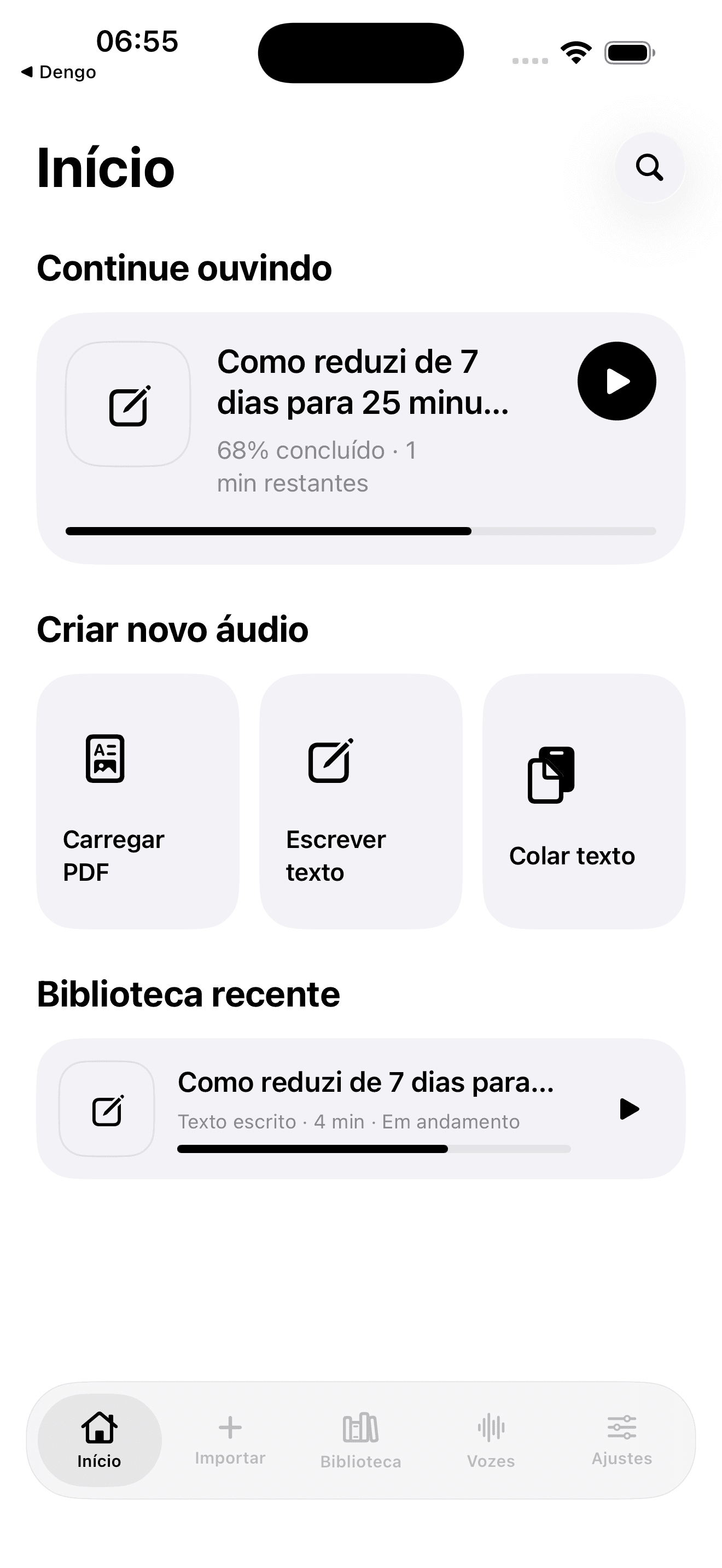
01Home · three inputs 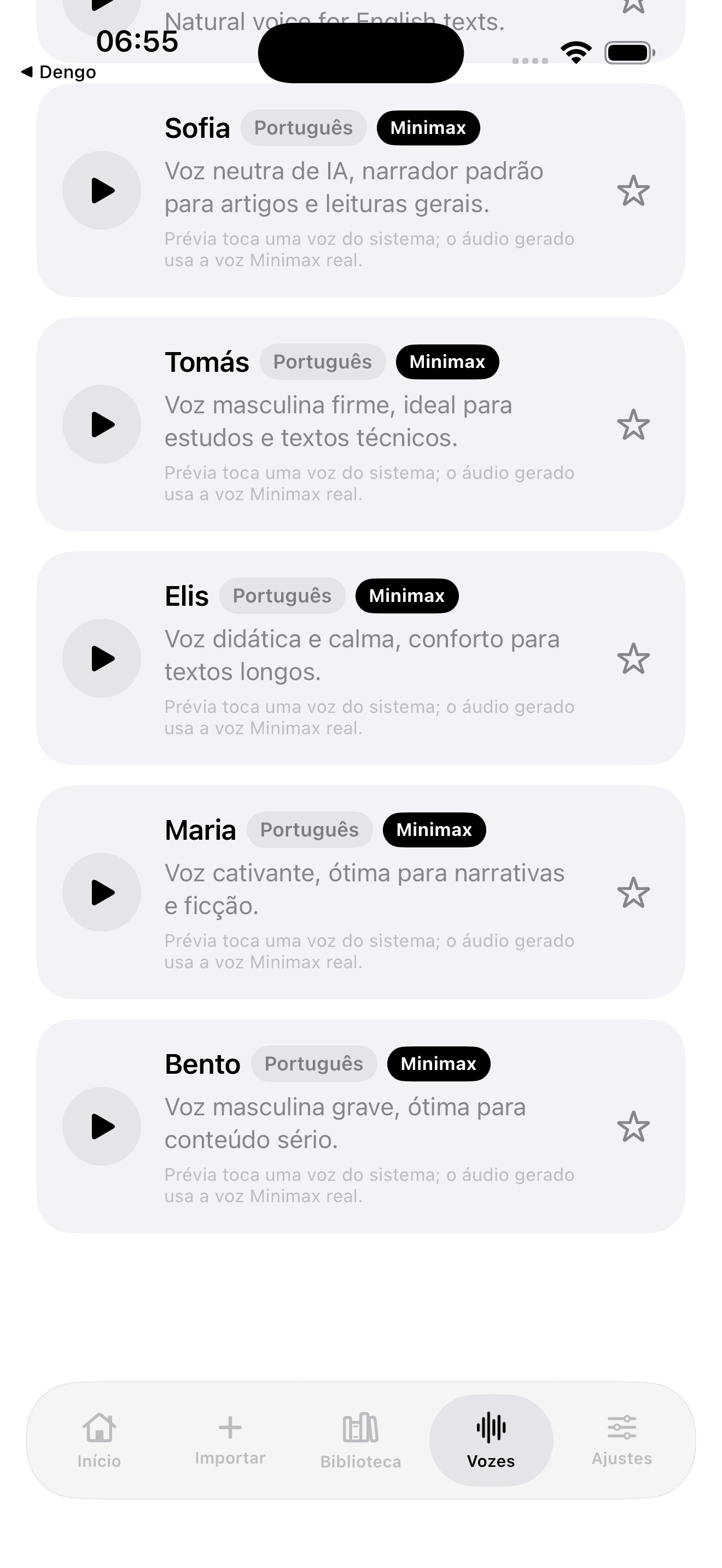
02Natural voice catalog 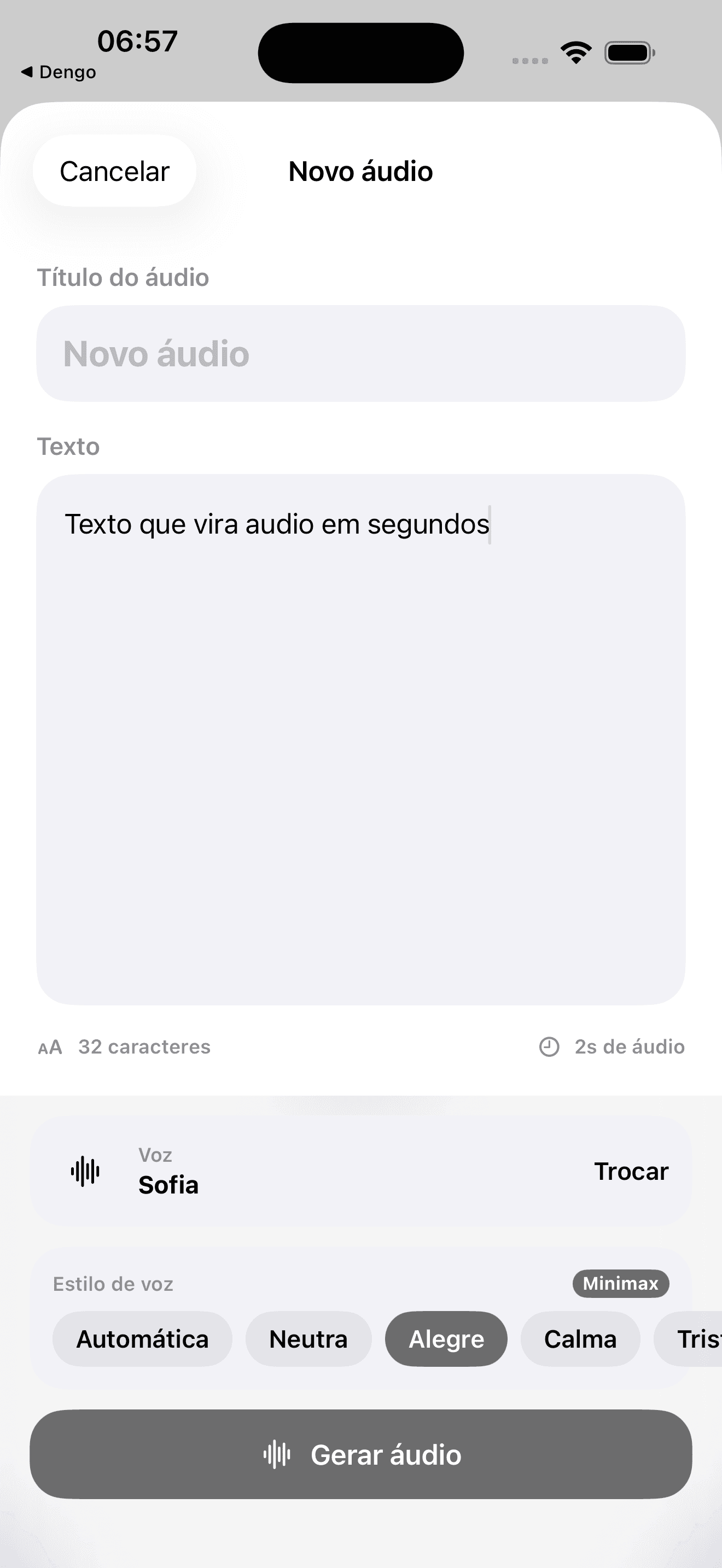
03Editor with selected voice 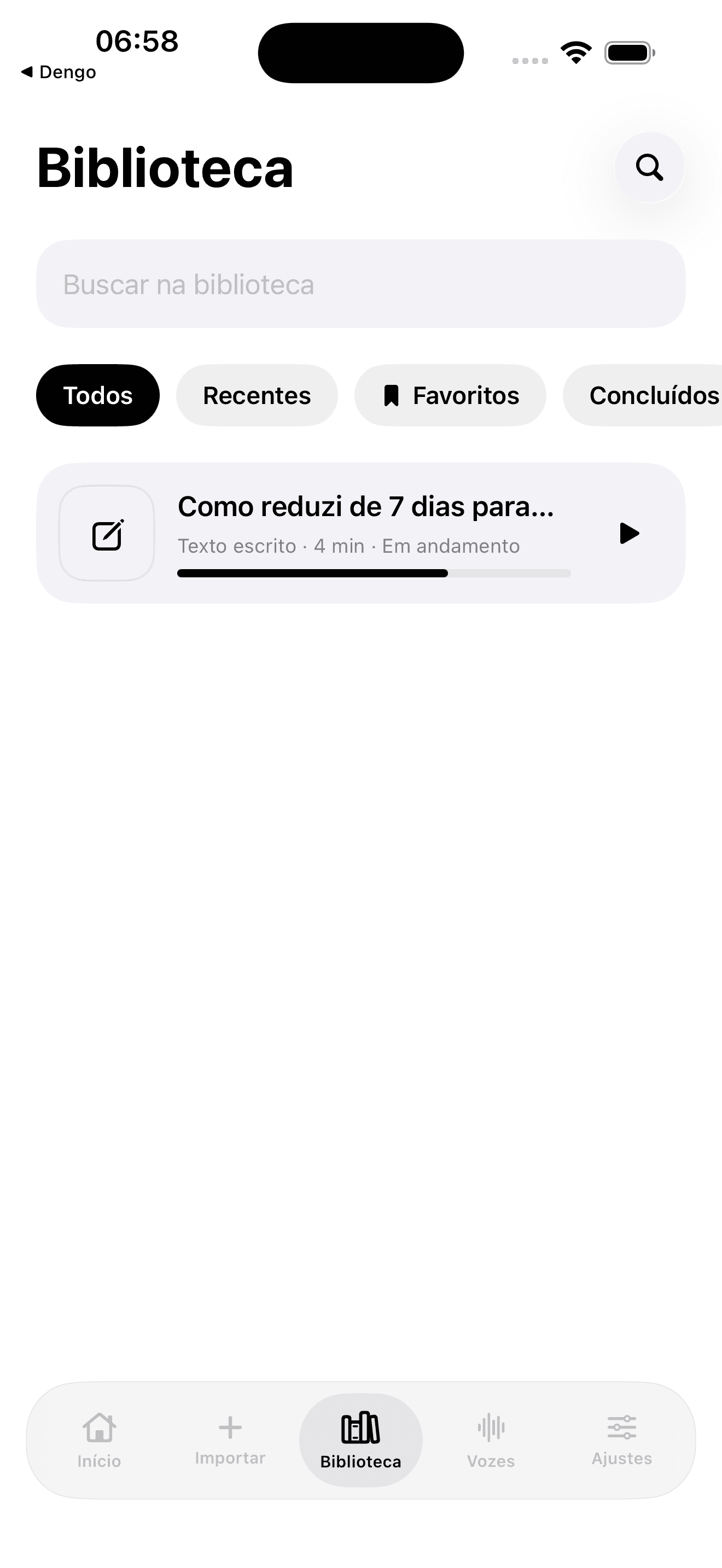
04Local library 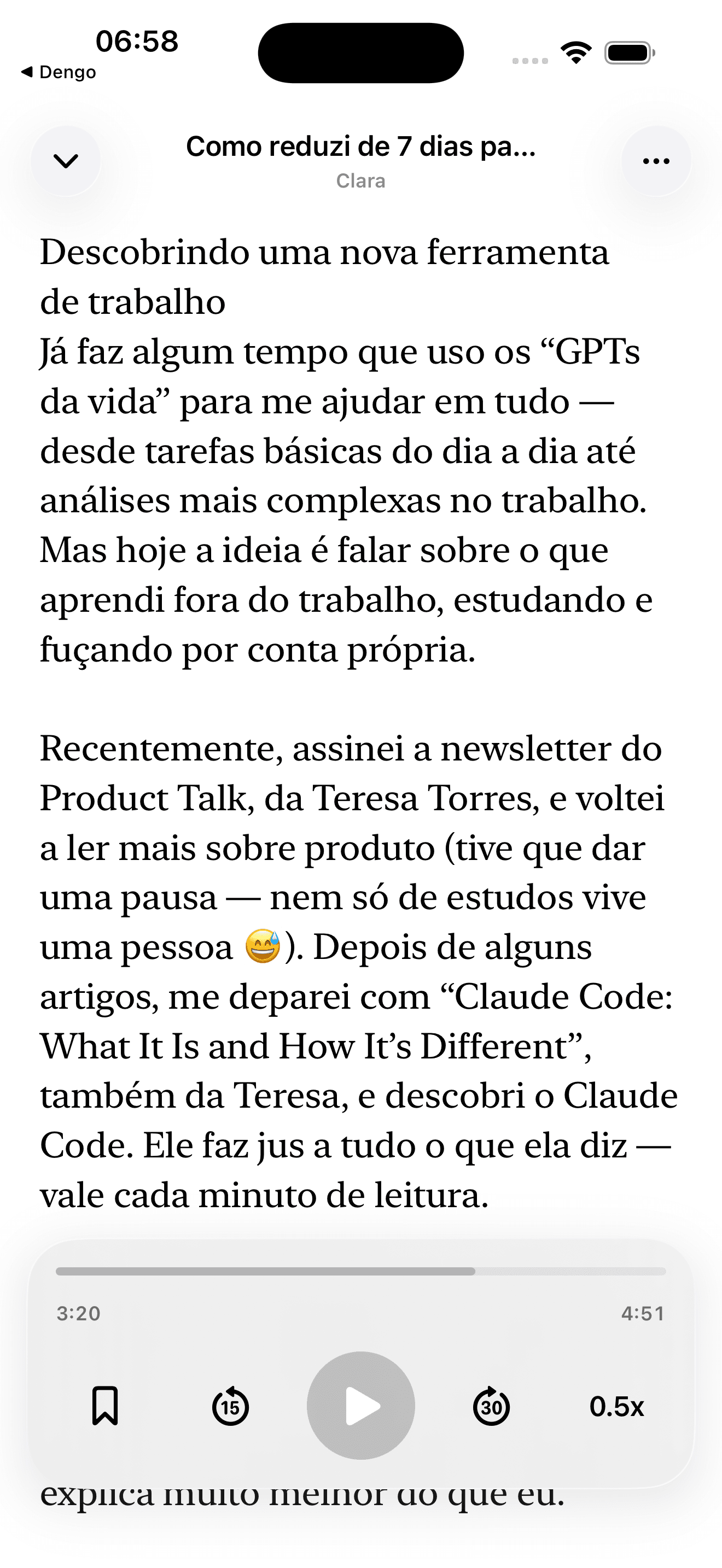
05Background-audio player
Everything that matters. Nothing that doesn't.
- 01
Five ways to bring text in
Type, paste, or import PDF, TXT, Markdown, DOCX or EPUB. In three taps content becomes narrated audio.
- 02
Minimax Portuguese voices
Sofia, Tomás, Elis, Maria and Bento — five natural Brazilian Portuguese voices via Replicate. Plus OpenAI/Gemini voices via OpenRouter.
- 03
Background playback
Audio plays in background with lock screen, car mode and podcast-style controls. Stays on-device after generation.
- 04
Local library
Everything you generated, organized by session. Quick search, direct deletion, audio stored locally.
- 05
Transparent usage limit
Daily quota controlled by `UsageLimiter` to prevent abuse. Educational fallback when the quota runs out — no surprise charges.
- 06
Bring-your-own-key
Use your own OpenRouter key, stored in the iOS Keychain. No monthly subscription, no freemium that becomes a paywall.
Dozens of PDFs `to read later`. Never read. There's time to listen — but not to read.
- — 01 / The spark
I have more text than time.
Dozens of PDFs and articles `to read later` piled up. I never read them. My commute in Salvador, the treadmill, the pre-sleep slot — all perfect moments to listen.
But Brazilian Portuguese TTS was always robotic, or required an Audible subscription that doesn't have what I want, or charged a heavy monthly fee `just in case`.
- — 02 / The user problem
Natural voice, no subscription.
The user wants to listen to the report, the article, the chapter. No signup. No monthly subscription. No sending data to a platform that will train a model on it.
And they want a natural voice — not a robot. Robot is discarded in 30 seconds.
- — 03 / The concept
Paste. Listen.
Paste text, import a PDF, pick a voice. Audio is generated on demand using the best TTS models — Google Gemini, OpenAI — via OpenRouter.
You pay cents for what you actually listen to, not a monthly fee `just in case`. Audio is stored on-device. No profile, no tracking, no login.
- — 04 / Validation
Twelve people. Three profiles.
I tested with 12 distinct people: professionals tracking technical literature in Portuguese, multitasking parents, two users with visual impairments.
Natural voice was the #1 retention driver. Second, minimum friction — text becomes audio in three taps. Everything else is detail.
- — 05 / Built with AI
Parser, queue, player. All generated.
Native iOS in SwiftUI + AVFoundation with two TTS providers: OpenRouter (OpenAI/Gemini) and Replicate (Minimax — Sofia, Tomás, Elis, Maria, Bento voices in Brazilian Portuguese). Claude Code and Codex generated the parsers (PDF/TXT/MD/DOCX/EPUB), the generation queue, the background-audio player, and the UsageLimiter.
API keys stored in the iOS Keychain — never on our servers. Crash and performance via Sentry — never sending user text, audio, or keys.
- SwiftUI
- AVFoundation
- OpenRouter
- Replicate
- Sentry
- Keychain
- Claude Code
- Codex
- — 06 / Launch
Charge for usage, not for fear.
Coming soon to the App Store, Productivity category. Anti-abuse strategy: per-key limits, an educational fallback if the quota runs out, remote status via Vercel to turn off generation in an emergency.
No monthly subscription. No `freemium` that becomes a `paywall`. You pay cents for what you listen to. Period.
Built with respect for you.
- 01Text sent only to the chosen TTS provider (OpenRouter or Replicate)
- 02No profiles, accounts or login inside the app
- 03Audio and library stored on-device
- 04Crash + performance via Sentry (anonymized, no personal identifiers)